PageWatch
Coming soon
Tell me when this part of a webpage changes.
- Chrome
- Edge
- Firefox
Browser extension by A2Z Tools
Keep Downloads organized automatically.
Automatically sorts and renames your downloads into tidy folders by file type, website and date using rules you control.
 Chrome Web StoreComing soon for Chrome
 Microsoft Edge Add-onsComing soon for Edge
 Firefox Add-onsComing soon for Firefox
We are preparing the store listings. The buttons switch on as soon as each store approves the extension; there are no unofficial downloads.
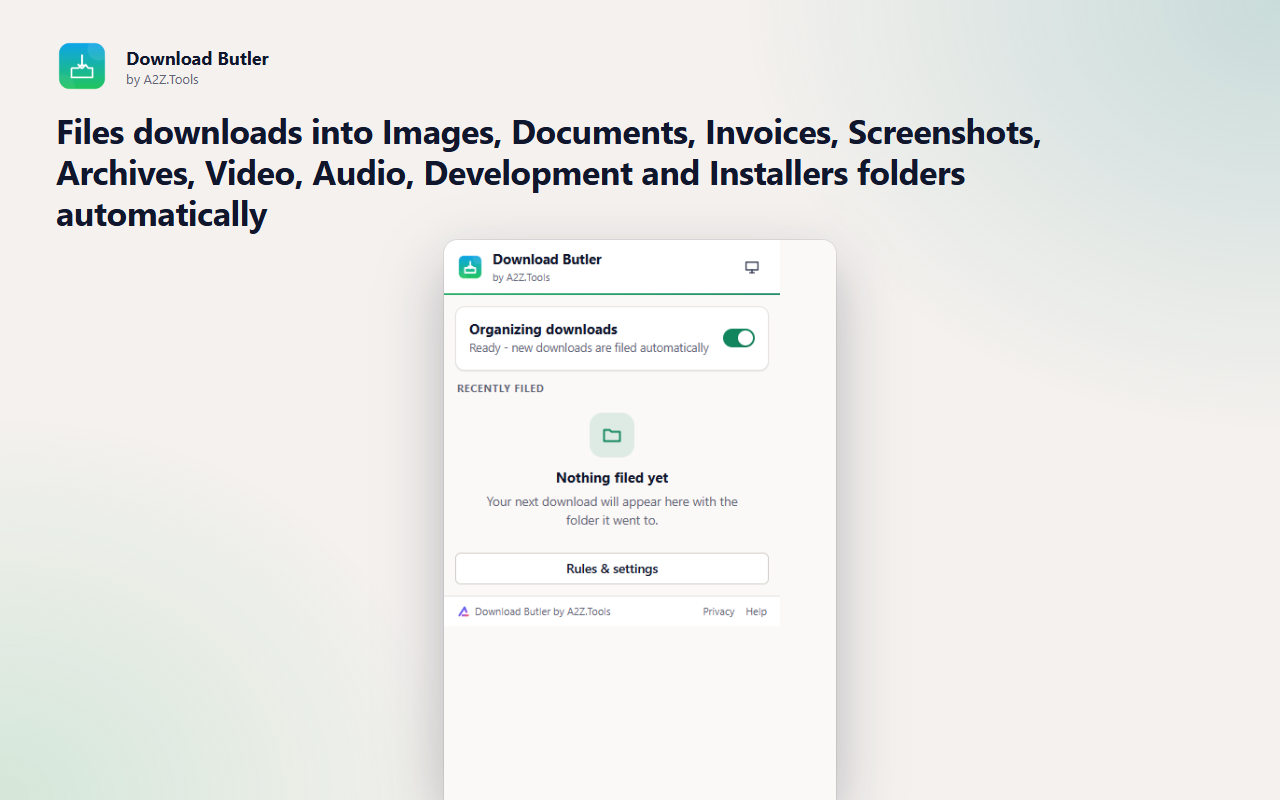
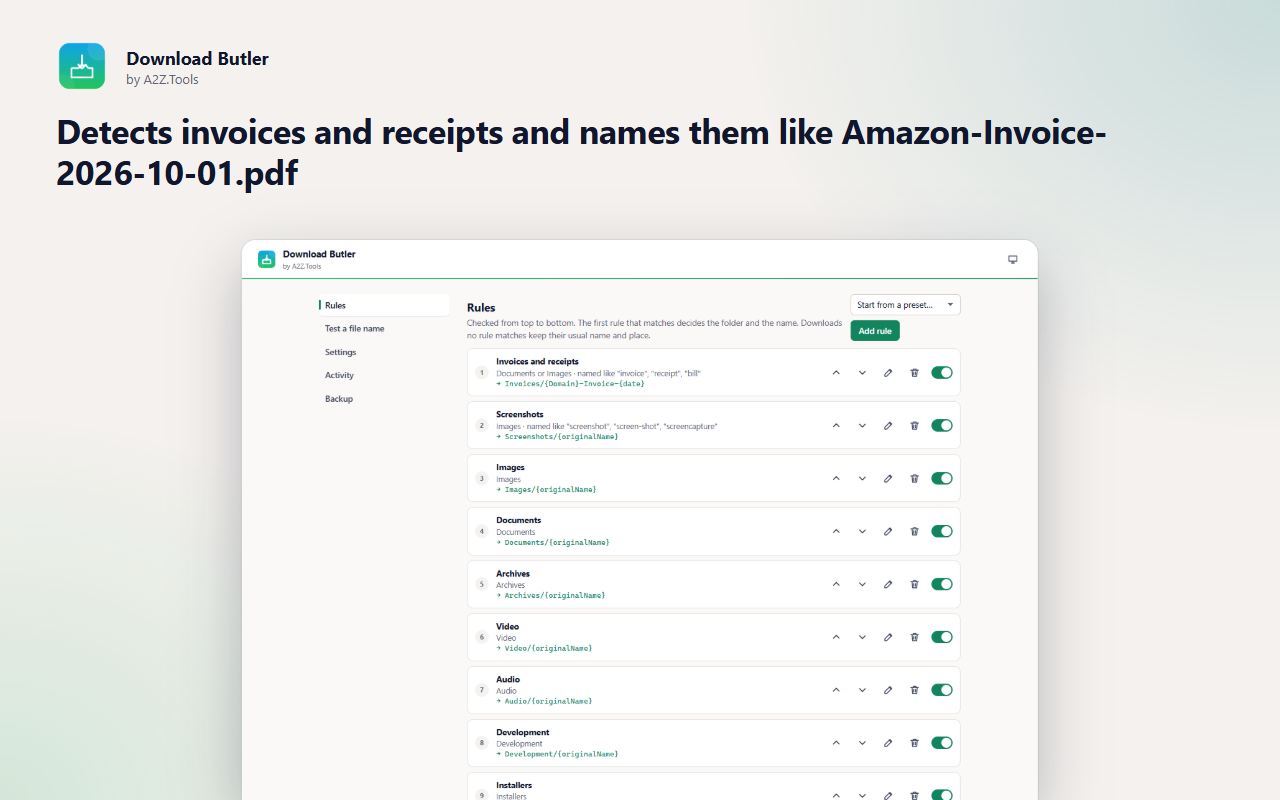
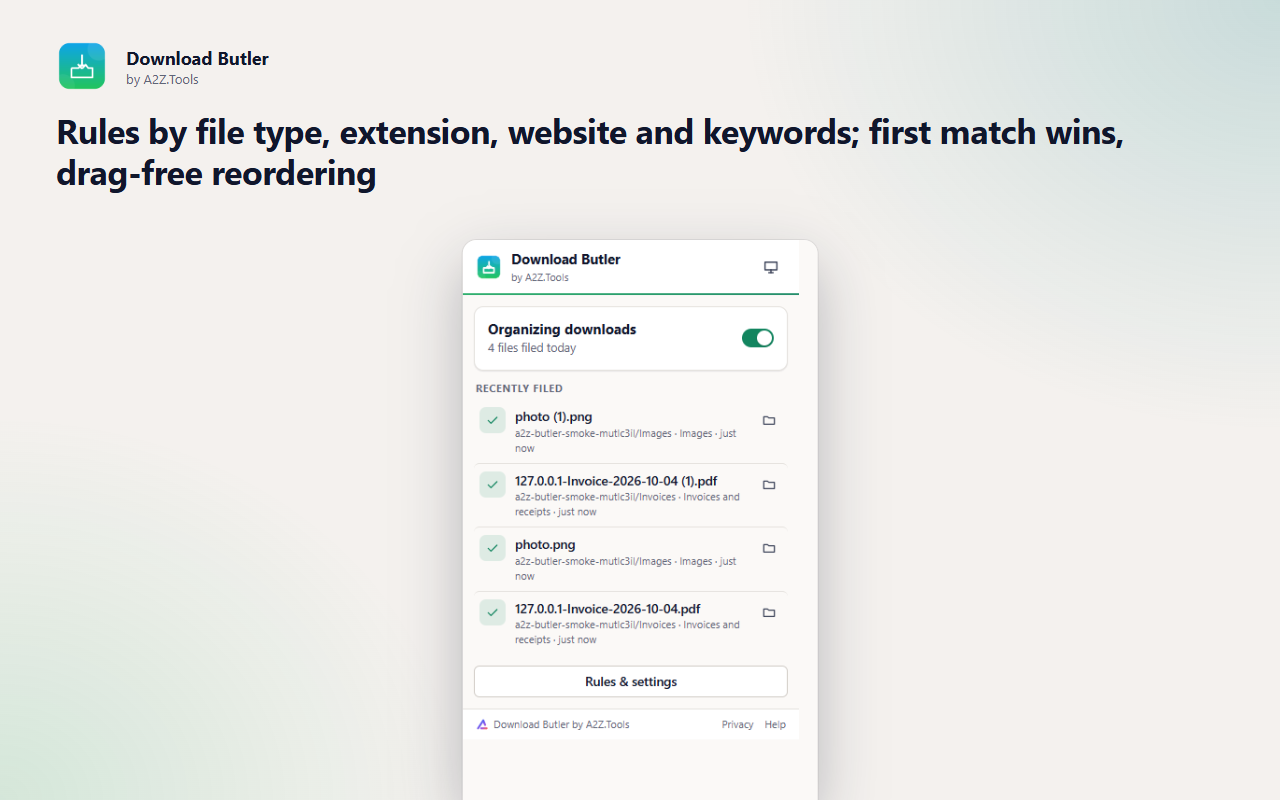
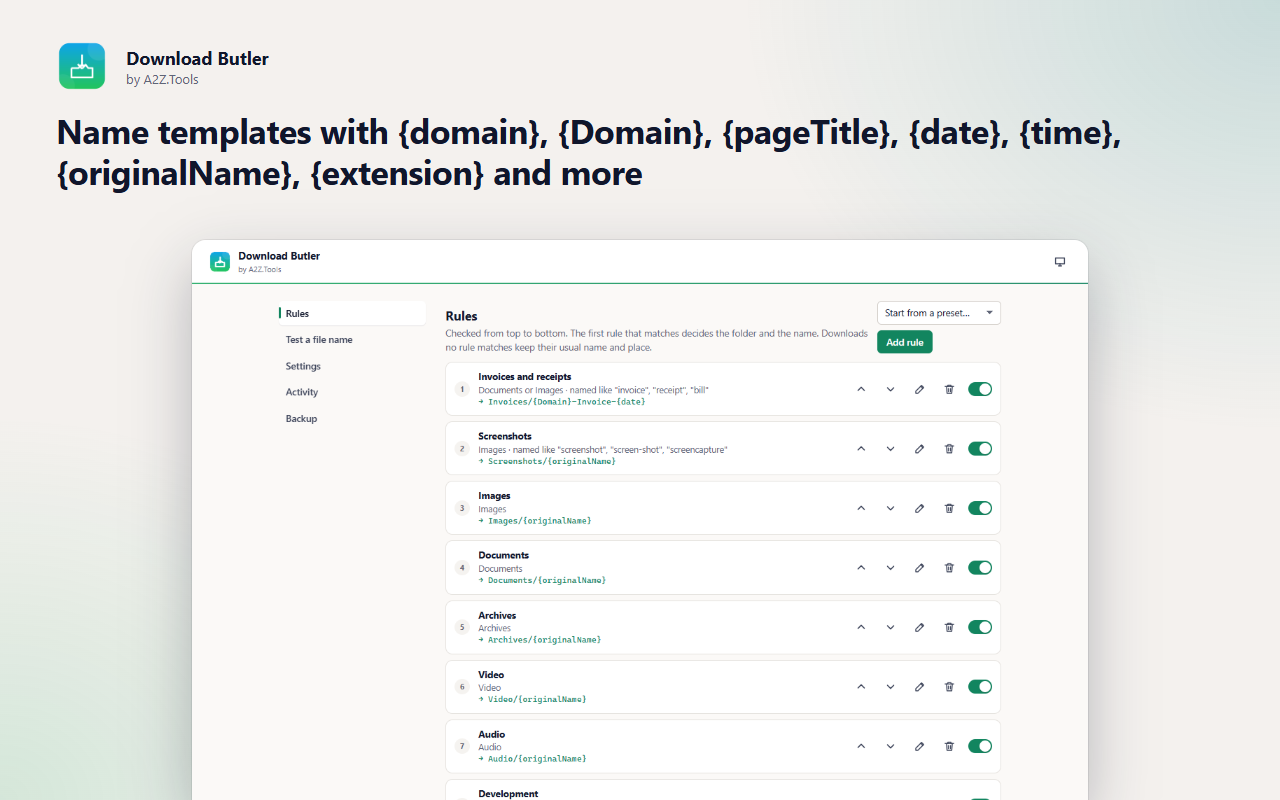
Download Butler keeps your Downloads folder tidy without you thinking about it. Every download is filed as it starts: photos into Images, PDFs into Documents, installers into Installers, and invoices and receipts into Invoices with a name that tells you what they are, like Amazon-Invoice-2026-10-01.pdf.
The built-in rules work out of the box, and you can add your own by file type, extension, website or keyword, with templates for the folder and the file name. A live preview shows exactly where a file will go before it happens, and the activity list shows every file that was renamed and why.
Everything happens inside your browser: no account, no uploads, and Download Butler never opens your files.
Your rules and download history stay in this browser. Download Butler only looks at the name, type and source site of each download to pick a folder. No account, no analytics, no servers.
For each download: its link, the page it came from, the suggested file name and file type. With the optional page-title setting: the title of the tab the download came from.
storage.local in this browser profile: your rules and settings, and the last 200 filed downloads (original name, new name, rule, site).
None of its own. "Ask before saving" and the Firefox automatic mode download the same link again, directly from the site, when you have turned them on.
The activity list keeps the last 200 entries; clear it at any time. Everything is removed with the extension.
No account, no analytics, no advertising, no selling or sharing of data, and no remotely hosted code.
Chooses the folder and file name for each download as it starts (Chrome/Edge), saves links you send with the right-click menu, and shows a filed download in its folder.
Saves your rules, settings and the list of recently filed downloads on this device.
Adds "Save link / image with Download Butler" to the right-click menu.
When you use the right-click menu, lets Download Butler read that tab's title for the {pageTitle} token. Nothing else on the page is read.
Optional, only if you turn on "Use page titles in names": reads the title of the tab a download came from so {pageTitle} can use it.
| Browser | Minimum version | Store |
|---|---|---|
| Google Chrome |
120 | Coming soon |
| Microsoft Edge |
120 | Coming soon |
| Mozilla Firefox |
140.0 | Coming soon |
No. Browsers only allow extensions to choose folders inside Downloads. You can set a main folder such as Downloads/Sorted.
Partly. Firefox does not let extensions rename a download as it starts, so in Firefox you save with the right-click menu, or turn on the optional automatic mode that re-downloads plain links under the organized name.
By default both are kept and a number is added. You can choose to replace the old file or be asked each time.
Yes. The popup lists recently filed downloads with a button to show each one in its folder, and Settings has the full activity list.
No. It only looks at the link, the page it came from, the file name and the file type.
Coming soon
Tell me when this part of a webpage changes.

Coming soon
Never lose your browsing workspace.

Coming soon
Never lose what you typed into a website again.
Questions, bugs or ideas for Download Butler? Contact the A2Z Tools team.