Download Butler
Coming soon
Keep Downloads organized automatically.
- Chrome
- Edge
- Firefox

Browser extension by A2Z Tools
Never lose your browsing workspace.
Automatic session snapshots, one-click workspace restore, duplicate-tab cleanup and search across every open and saved tab.
 Chrome Web StoreComing soon for Chrome
 Microsoft Edge Add-onsComing soon for Edge
 Firefox Add-onsComing soon for Firefox
We are preparing the store listings. The buttons switch on as soon as each store approves the extension; there are no unofficial downloads.
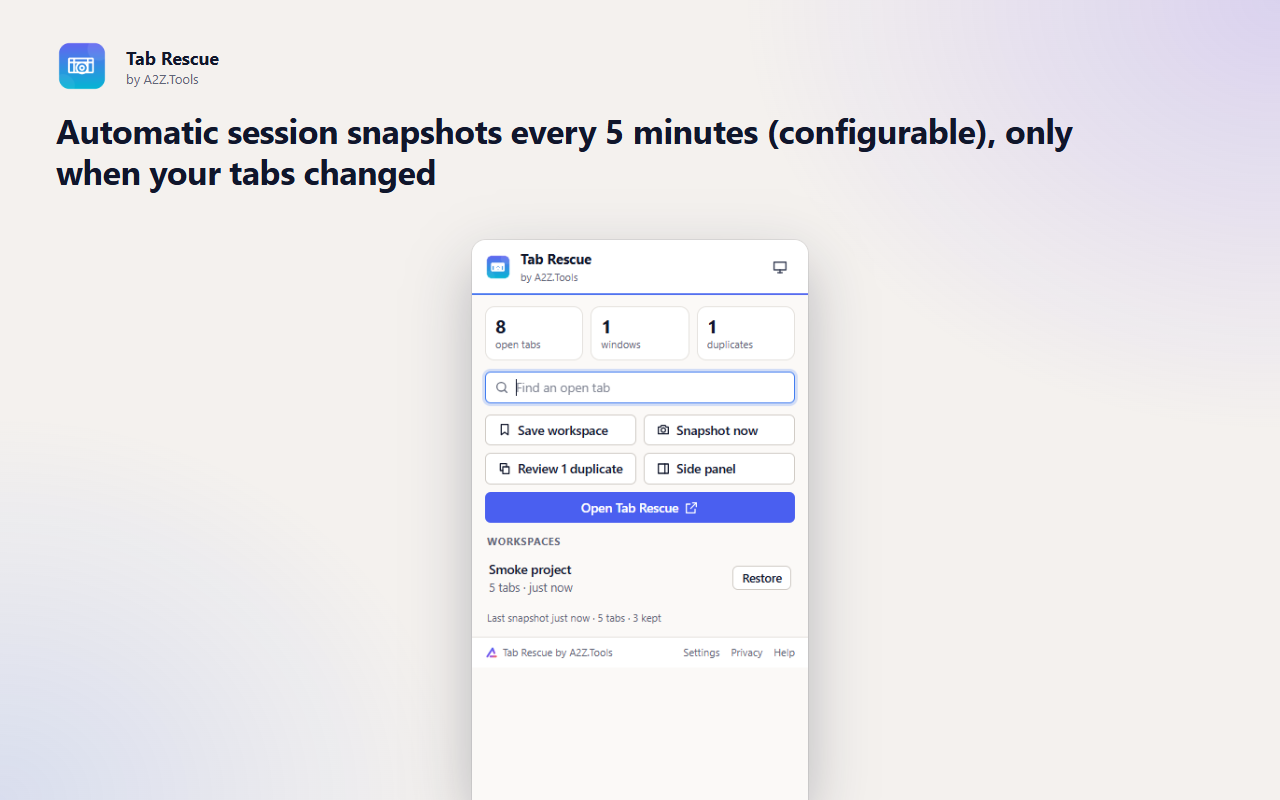
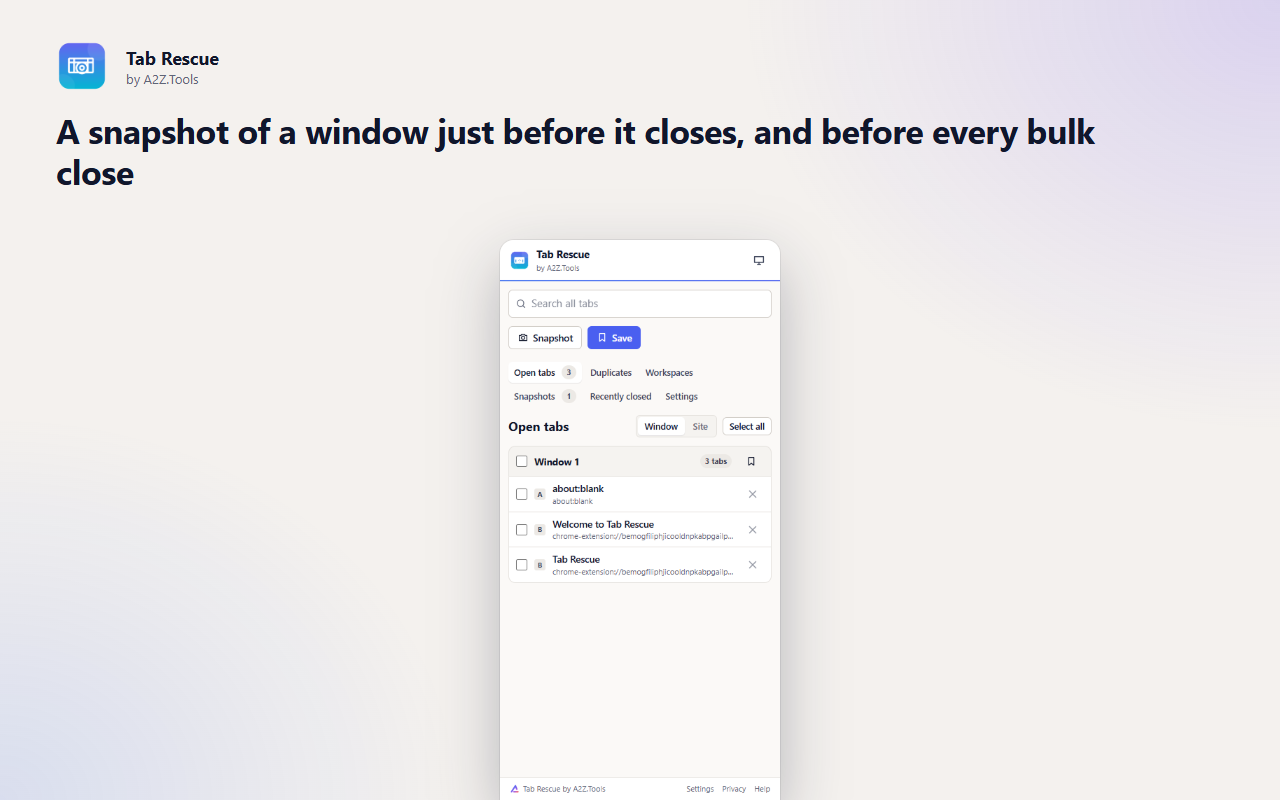
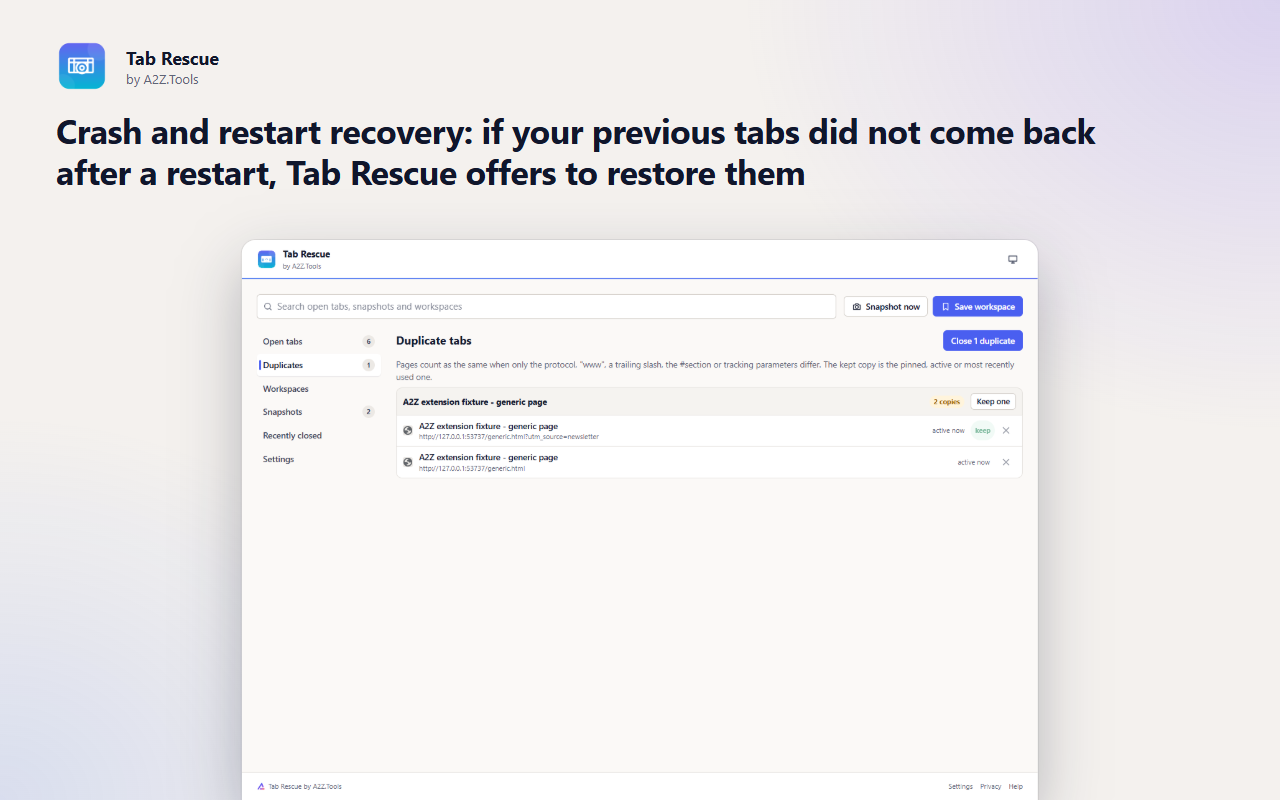
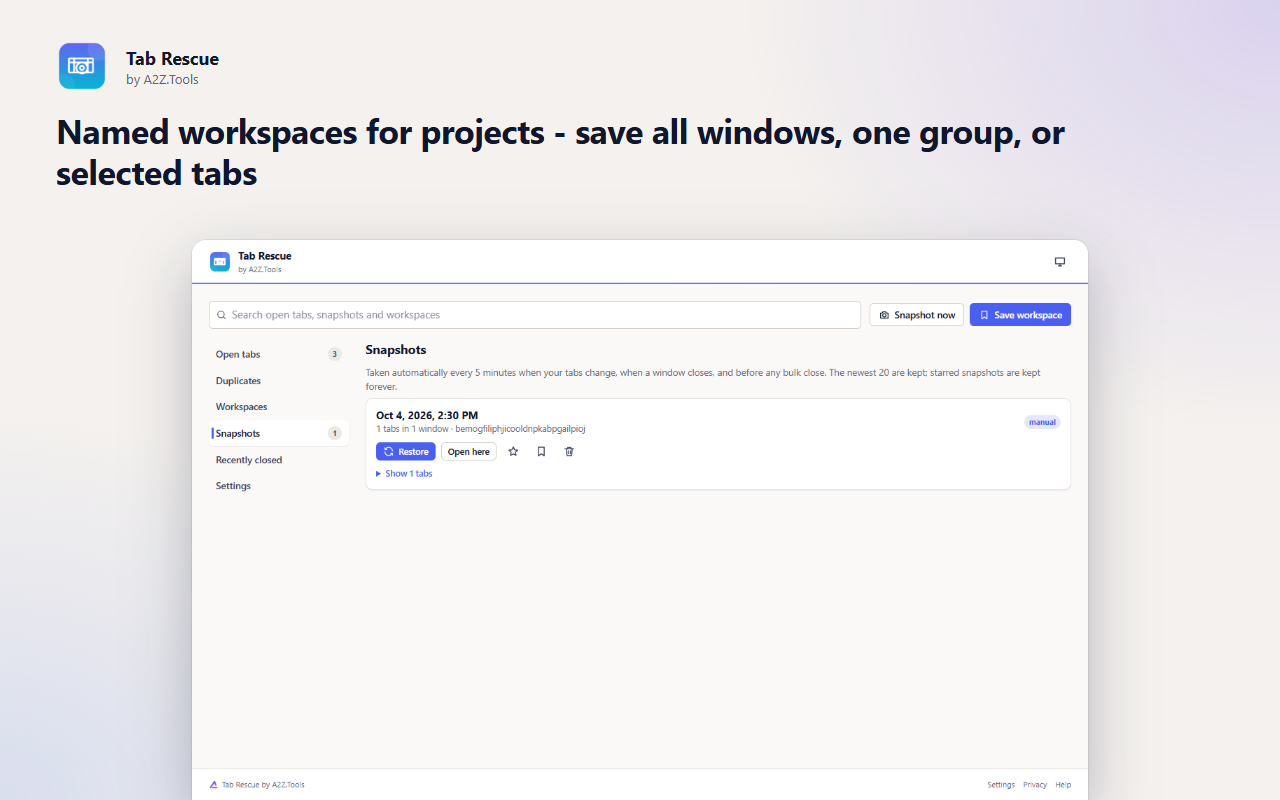
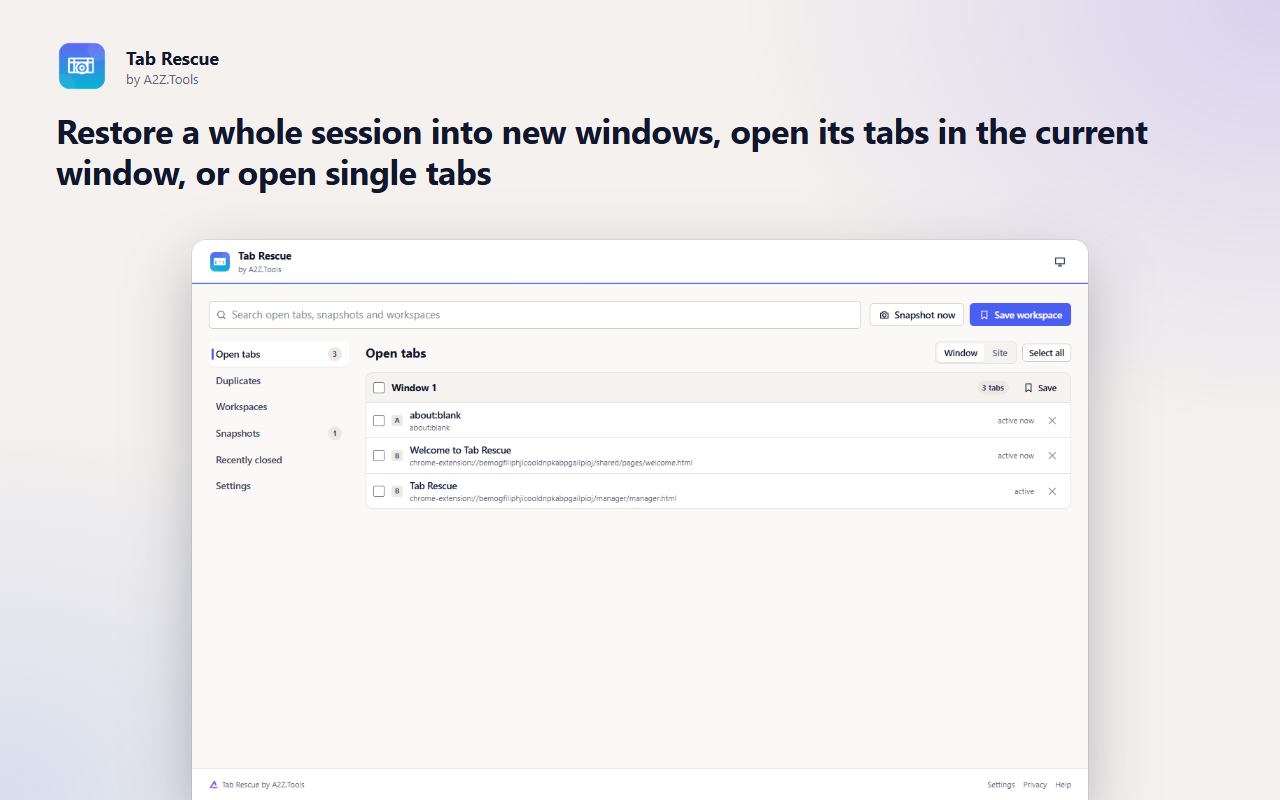
Tab Rescue quietly saves your browsing session every few minutes, whenever a window closes and before you close tabs in bulk. If the browser crashes, an update restarts it, or you close the wrong window, your tabs are one click away.
Workspaces turn a set of tabs into a named project you can reopen any time - research, a client, a trip - without keeping dozens of tabs open. A duplicate finder, search across open and saved tabs, and grouping by site help you get a heavy session back under control.
Everything is stored in your own browser. Tab Rescue has no account, no cloud sync and makes no network requests, and it never closes a tab unless you confirm.
Shortcuts can be changed in your browser's extension shortcut settings.
Snapshots and workspaces (tab titles and addresses) are stored only in this browser. Private/incognito windows are never saved. No account, no sync servers, no analytics.
The title, address, pinned state and last-used time of tabs in normal browser windows. Never page content, cookies, form data or private/incognito windows.
storage.local in this browser profile: rotating automatic snapshots (20 by default), starred snapshots, named workspaces, settings, a live copy of the current session for crash recovery, and the last bulk-closed tabs for undo.
None. Tab Rescue makes no network requests. Restoring a tab loads that page like any link you open.
Automatic snapshots rotate out (newest kept). Starred snapshots and workspaces stay until you delete them or uninstall the extension. Export/import JSON backups are available in Settings.
No account, no analytics, no advertising, no selling or sharing of data, and no remotely hosted code.
Reads the titles and addresses of your open tabs so it can save snapshots and workspaces, find duplicates, search tabs and restore them. Nothing is sent anywhere.
Keeps your snapshots, saved workspaces and settings in this browser profile.
Wakes the extension every few minutes (5 by default) to save an automatic snapshot when your tabs have changed.
Shows the browser's list of recently closed tabs and windows so you can reopen them with their history.
Chrome and Edge only: shows each tab's site icon from the browser's own icon cache, without contacting any website.
| Browser | Minimum version | Store |
|---|---|---|
| Google Chrome |
120 | Coming soon |
| Microsoft Edge |
120 | Coming soon |
| Mozilla Firefox |
140.0 | Coming soon |
No. Tabs are only closed when you confirm an action such as closing duplicates, and a snapshot is saved first so you can undo.
In your browser profile on this device. Nothing is uploaded. You can export a JSON backup from Settings and import it on another computer.
The browser keeps only your last session. Tab Rescue keeps a rotating history of snapshots, named workspaces that you can reopen any time, and offers recovery when the browser does not restore your tabs.
Never.
By default restored background tabs stay unloaded until you click them, so a big restore is light on memory.
Coming soon
Keep Downloads organized automatically.
Coming soon
Stop typing the same things repeatedly.
Coming soon
Tell me when this part of a webpage changes.
Questions, bugs or ideas for Tab Rescue? Contact the A2Z Tools team.