
Smart Screenshot Organizer
Coming soon
Screenshots that file themselves.
- Chrome
- Edge
- Firefox

Browser extension by A2Z Tools
Every A2Z.Tools utility one keystroke away.
Search and open 1,000+ free A2Z.Tools utilities from your toolbar or address bar, with pinned and recent tools.
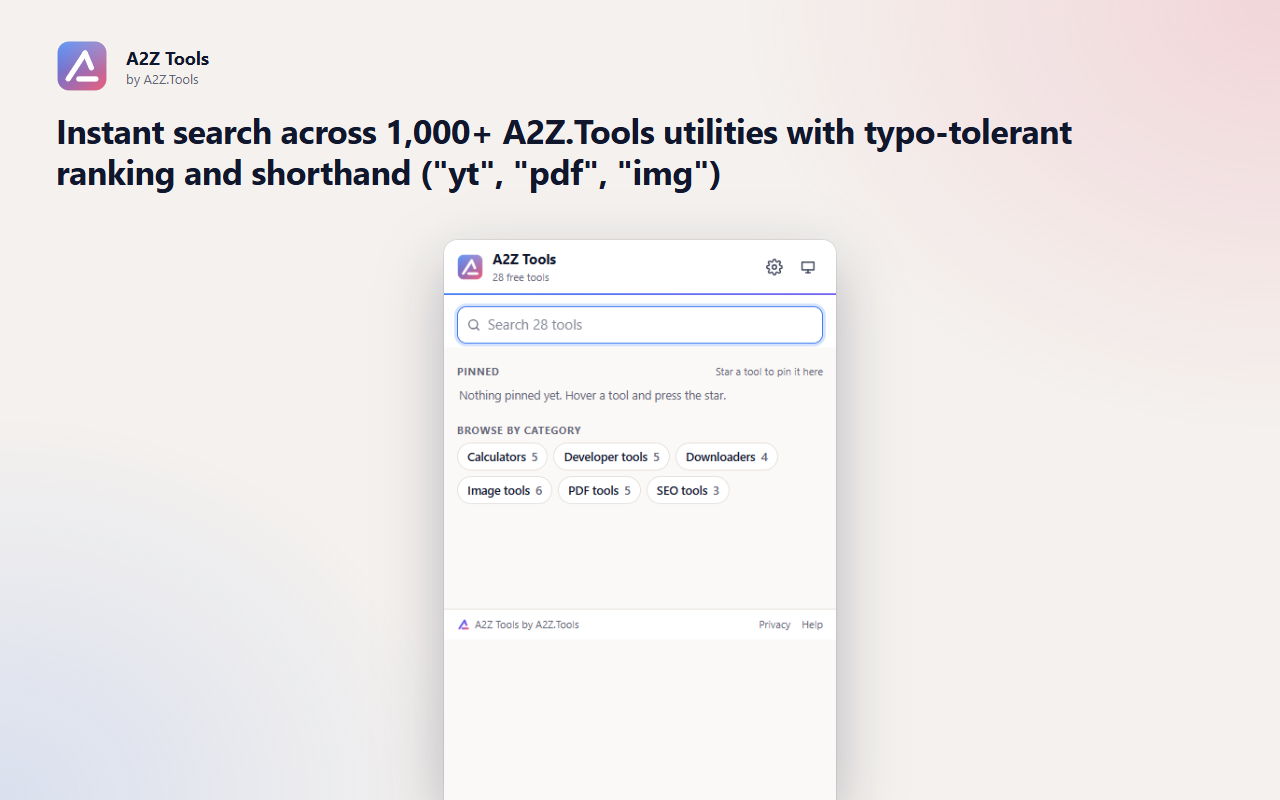
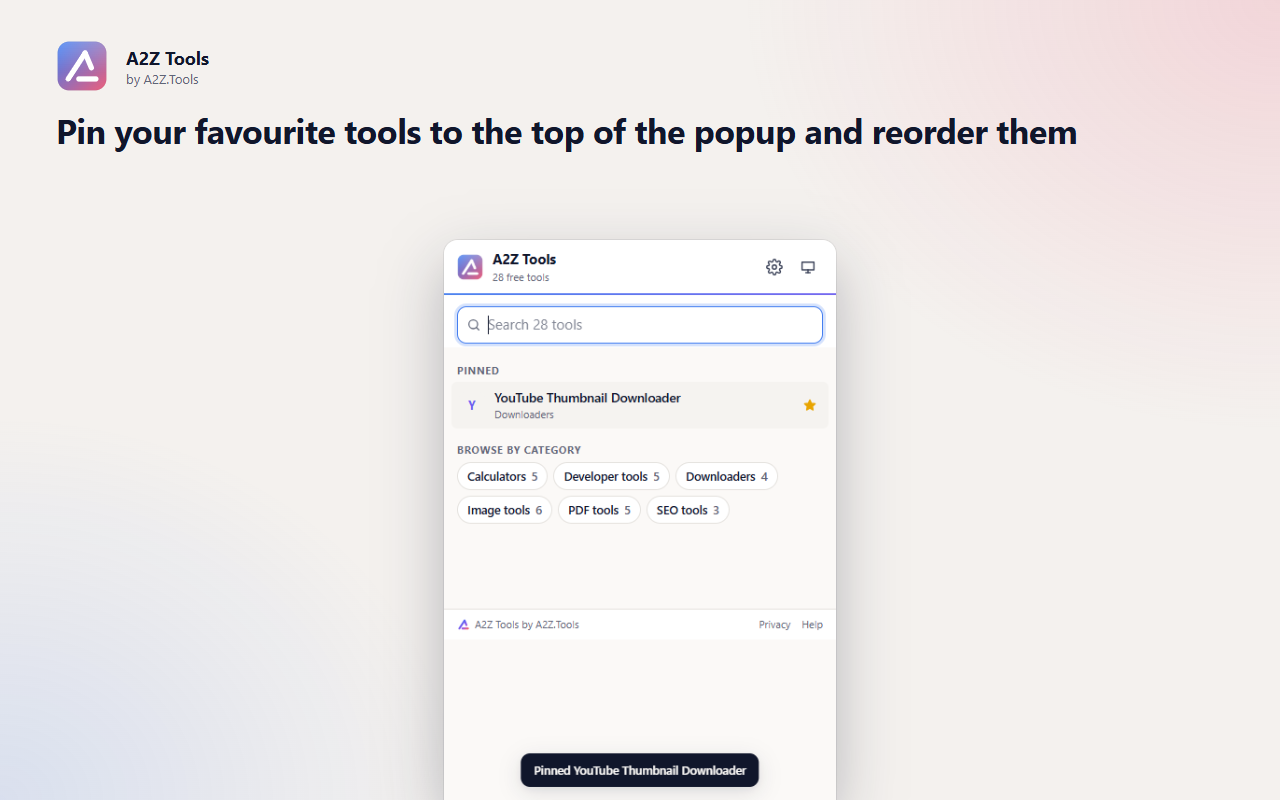
A2Z Tools puts the whole A2Z.Tools library in your toolbar. Press Alt+Shift+A, type a few letters and press Enter: the right tool opens without a search engine detour.
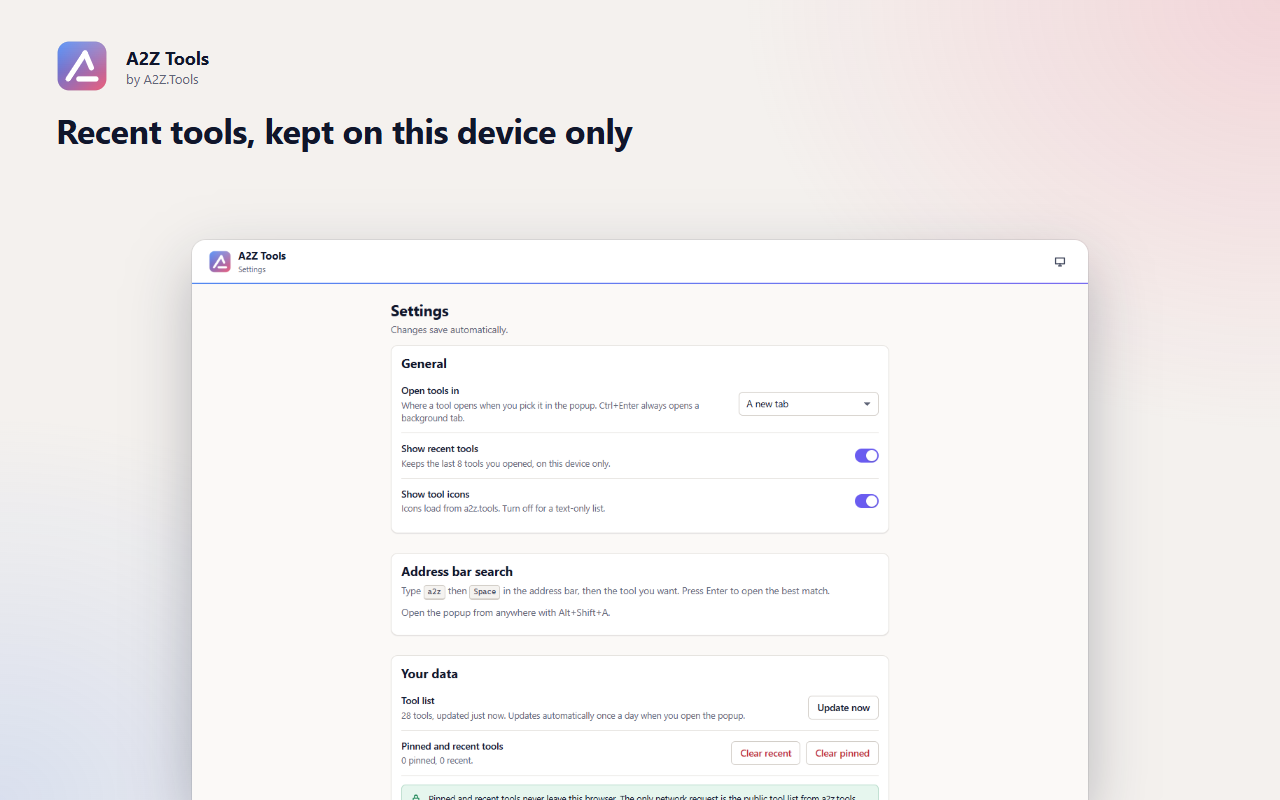
Pinned and recent tools make the utilities you use every week one click away, and an address-bar shortcut means you do not even need the popup. Everything you pin stays in your browser.
Shortcuts can be changed in your browser's extension shortcut settings.
Pinned and recent tools stay in this browser. The only network request is the public tool list from a2z.tools, made without cookies. No account, no analytics, no tracking.
None of your browsing. Only the tools you pin or open from the extension.
storage.local in this browser profile (pinned tools, last 8 recent tools, settings, cached tool list).
GET https://a2z.tools/api/GetAllPageListForExtension at most once a day while the popup is open, plus tool icons from a2z.tools. Opening a tool loads that a2z.tools page like any link.
Until you clear it in Settings or remove the extension.
No account, no analytics, no advertising, no selling or sharing of data, and no remotely hosted code.
Saves your pinned tools, recent tools, settings and a cached copy of the public tool list on this device.
Downloads the public list of A2Z.Tools utilities (names, links and icons) from a2z.tools, without cookies. It never reads the pages you visit.
| Browser | Minimum version | Store |
|---|---|---|
 Google Chrome Google Chrome |
120 | Chrome Web Store |
 Microsoft Edge Microsoft Edge |
120 | Microsoft Edge Add-ons |
 Mozilla Firefox Mozilla Firefox |
140.0 | Firefox Add-ons |
A2Z Chrome Extension Tools is a powerful browser extension designed to provide users with a collection of essential tools for productivity, web development, and everyday tasks. With an intuitive interface and seamless integration, A2Z Tools enhances your browsing experience by offering quick access to various utilities.
Whether you're a developer, researcher, or general user, A2Z Tools helps you streamline your workflow with a suite of useful features, all within your browser.
A2Z Tools respects user privacy and does not collect personal data. The extension operates entirely within your browser and does not share information with third parties.
For detailed privacy policies, visit our website.
Yes. The extension and the tools it opens are free, with no account required.
No. It has no access to the pages you browse. It only stores the tools you pin or open, on your device.
Type a2z followed by a space in the address bar, then the tool you want. Press Enter to open the best match, or pick a suggestion.
The search works on the last downloaded tool list. On first use without a connection it shows a built-in list of popular tools.
Coming soon
Screenshots that file themselves.

Coming soon
Never lose what you typed into a website again.
Coming soon
Tell me when this part of a webpage changes.
Questions, bugs or ideas for A2Z Tools? Contact the A2Z Tools team.