
CookieReject
Coming soon
Say no to non-essential cookies once, everywhere.
- Chrome
- Edge
- Firefox

Browser extension by A2Z Tools
Know where a link really goes before opening it.
Preview a link's real destination, spot look-alike domains and shorteners, and copy a clean URL without tracking parameters.
 Chrome Web StoreComing soon for Chrome
 Microsoft Edge Add-onsComing soon for Edge
 Firefox Add-onsComing soon for Firefox
We are preparing the store listings. The buttons switch on as soon as each store approves the extension; there are no unofficial downloads.
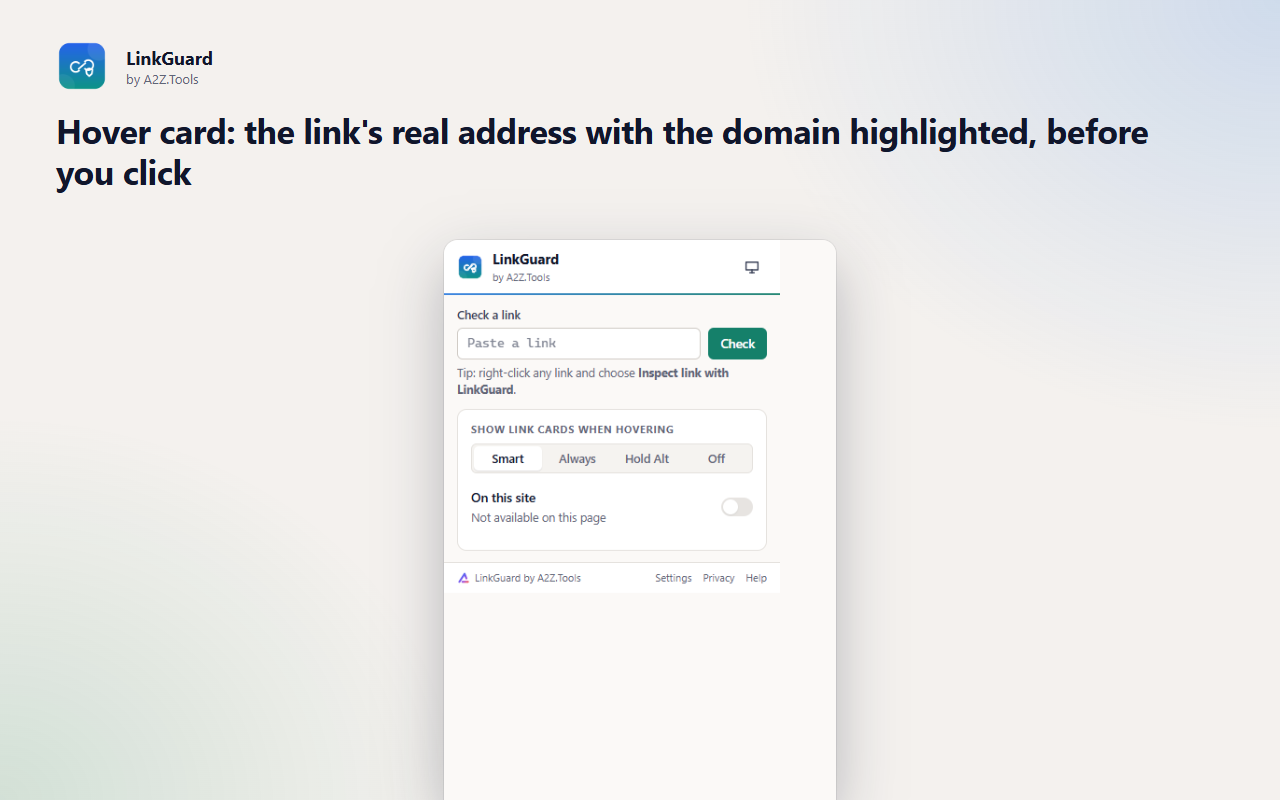
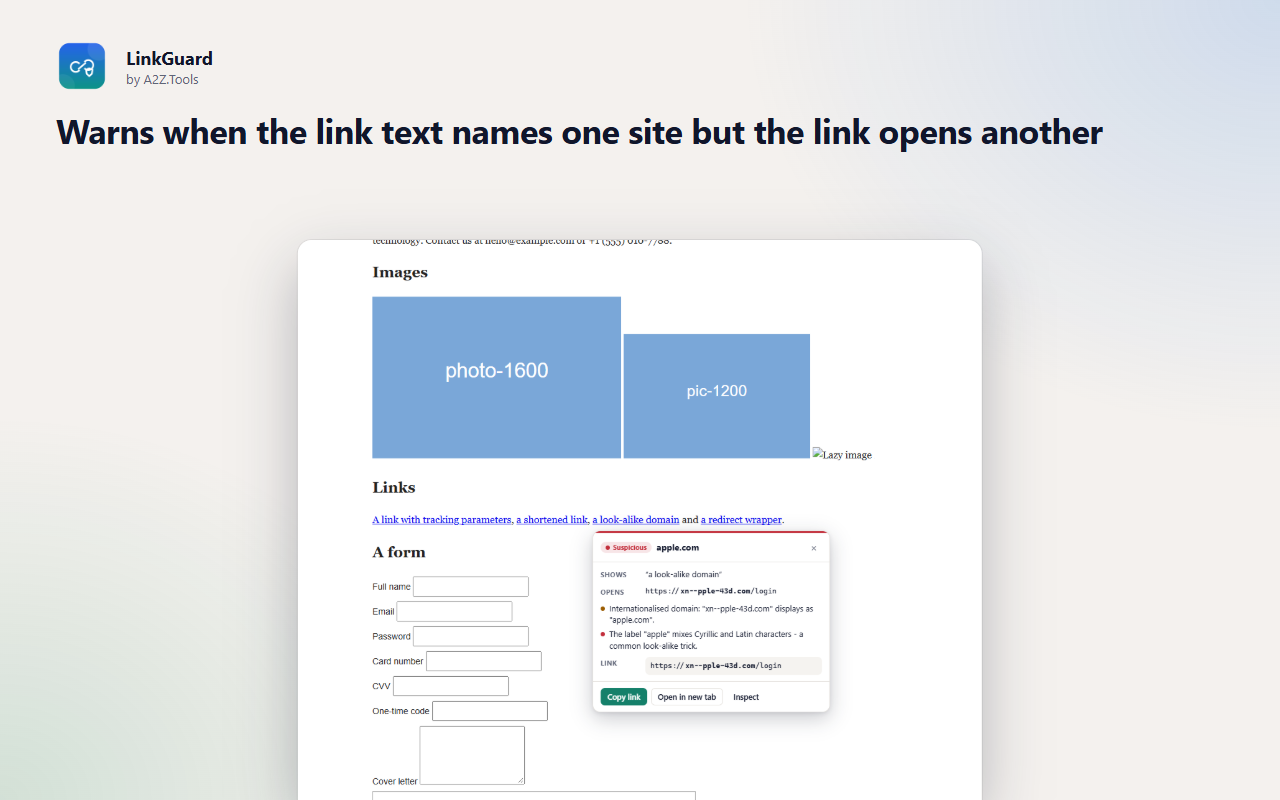
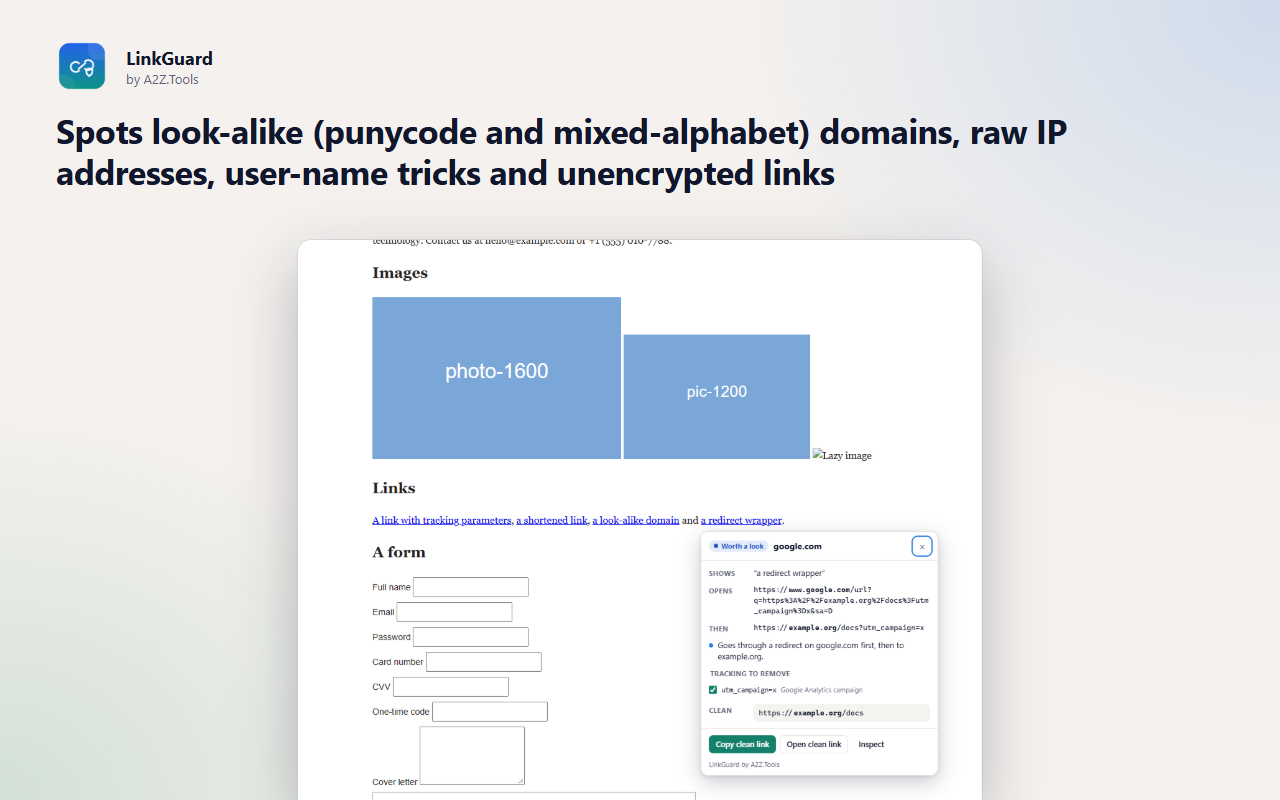
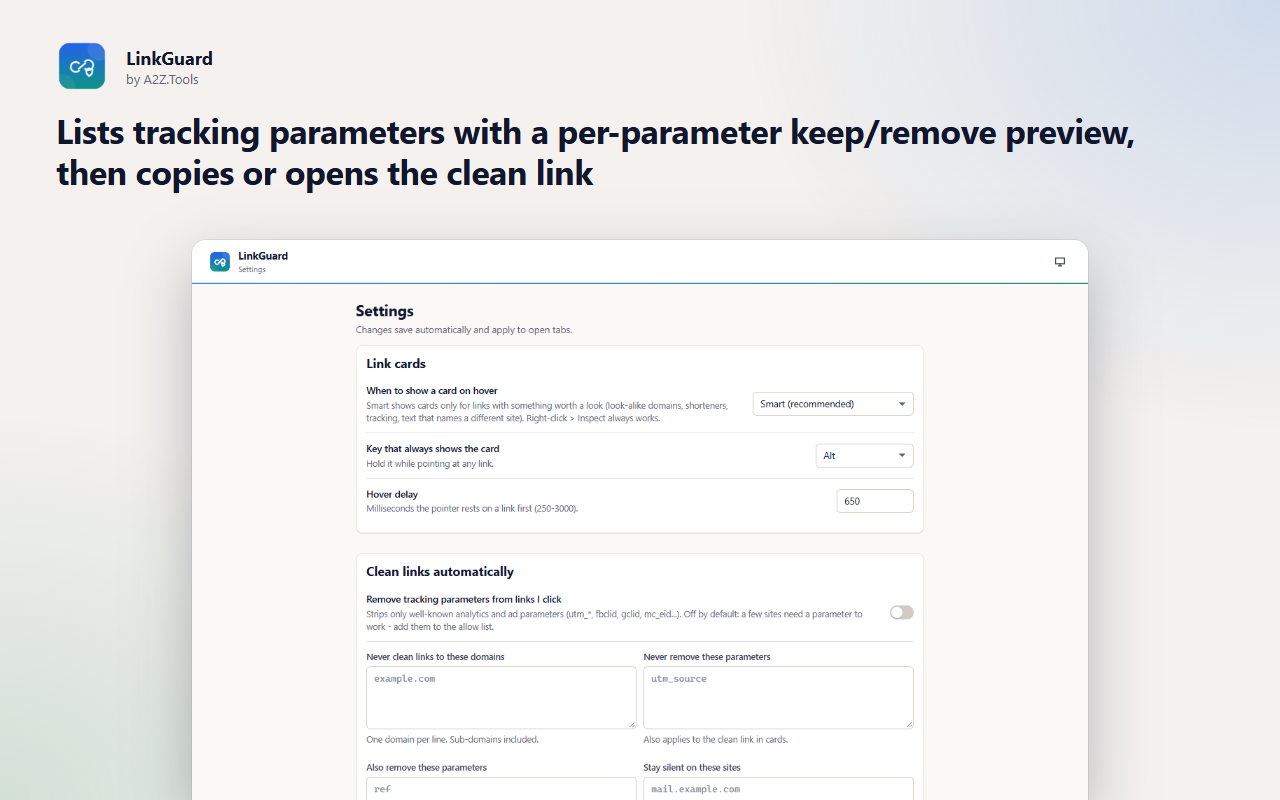
A link's text and its destination do not have to agree, and that gap is where most phishing lives. LinkGuard shows you the real address of a link before you click, with the domain that actually matters highlighted.
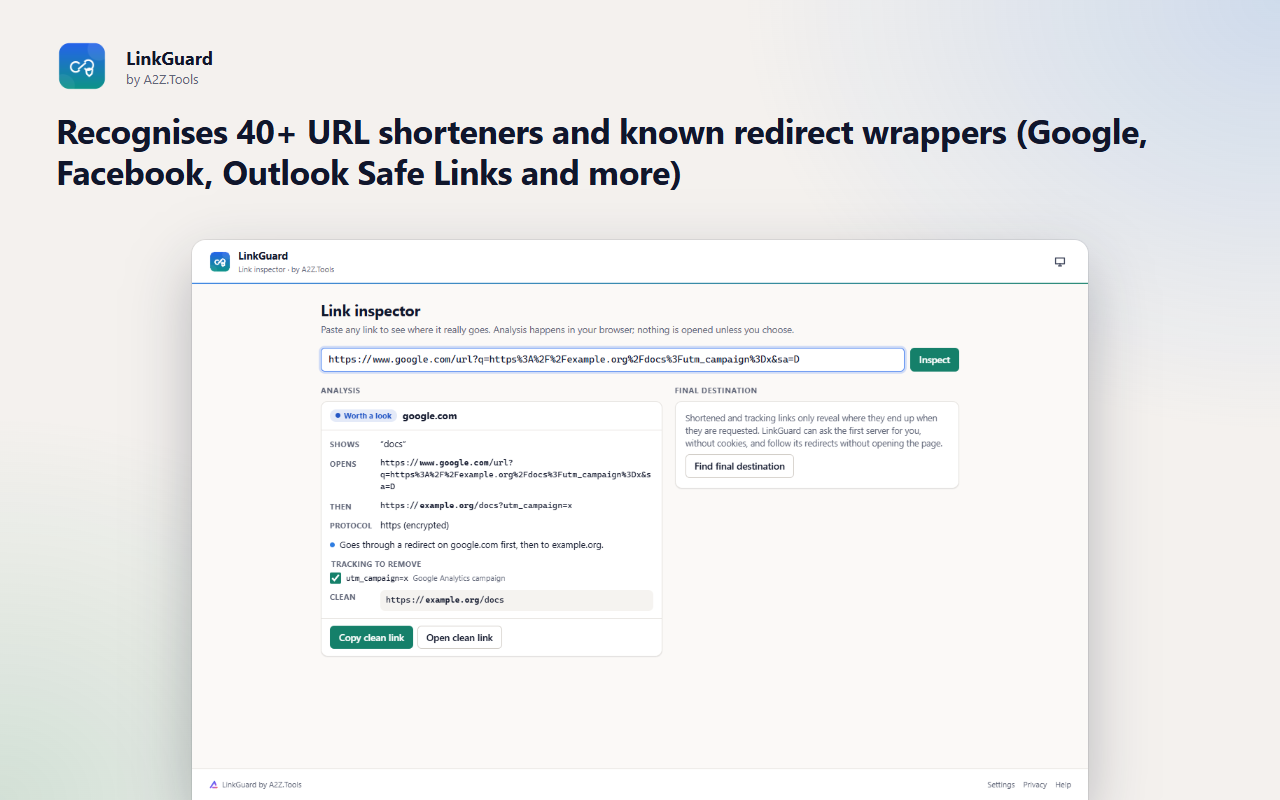
It flags the patterns behind deceptive links: text that names one site while the link opens another, look-alike domains built from other alphabets, raw IP addresses, user-name tricks, shorteners that hide the destination and redirect wrappers. Tracking parameters are listed one by one so you can copy or open a clean link without them.
Everything is analysed locally in your browser. LinkGuard only contacts a website when you ask it to follow a link's redirects, and only after you allow access to that site.
Shortcuts can be changed in your browser's extension shortcut settings.
Links are analysed in your browser. LinkGuard never sends the links you hover or click anywhere, has no account and no analytics. It contacts a website only when you ask it to find a link's final destination.
The address and visible text of the one link you point at or right-click. When enabled, the addresses of links you click (to remove tracking parameters).
storage.local in this browser profile: settings, allow lists and per-site on/off choices. No history of links is kept.
None by default. "Find final destination" sends one cookie-less HEAD (or GET, aborted after the headers) request to the link's own server, after you grant access to that site.
Settings stay until you change them or remove the extension. Analysed links are not stored.
No account, no analytics, no advertising, no selling or sharing of data, and no remotely hosted code.
Saves your hover mode, allow list and parameter preferences on this device.
Adds "Inspect link with LinkGuard" to the right-click menu on links.
When you open the toolbar popup, lets it read the current tab's address so it can offer a clean copy of it.
Optional, asked one site at a time when you press "Find final destination": lets LinkGuard ask that link's server where it redirects, without cookies and without opening the page.
Runs inside web pages on: all websites.
| Browser | Minimum version | Store |
|---|---|---|
| Google Chrome |
120 | Coming soon |
| Microsoft Edge |
120 | Coming soon |
| Mozilla Firefox |
140.0 | Coming soon |
No. Links are analysed inside your browser. The only request LinkGuard ever makes is when you press Find final destination, and it goes to the link's own server, without cookies.
Not in the default Smart mode: cards appear only for links with something worth a look. Hold Alt (or the key you choose) on any link to see its card, or switch to Every link.
Only well-known analytics and advertising parameters such as utm_source, fbclid, gclid, mc_cid and mc_eid, plus a few site-specific ones. Functional parameters are kept, and you can keep or add any parameter.
Yes, from the inspector. It follows the server's redirects without opening the page. Shorteners that show an interstitial page instead of redirecting cannot be expanded this way.
Coming soon
Say no to non-essential cookies once, everywhere.

Coming soon
Know when an email tries to track you.

Coming soon
Restore normal copy, paste and right-click on sites that block it.
Questions, bugs or ideas for LinkGuard? Contact the A2Z Tools team.