Distraction Shield
Coming soon
Use the useful parts of websites without the addictive feeds.
- Chrome
- Edge
- Firefox
Browser extension by A2Z Tools
Capture anything, extract its text, hide private information.
Capture, annotate and OCR screenshots on your device, and redact emails, phone numbers, keys and card numbers before you share.
 Chrome Web StoreComing soon for Chrome
 Microsoft Edge Add-onsComing soon for Edge
 Firefox Add-onsComing soon for Firefox
We are preparing the store listings. The buttons switch on as soon as each store approves the extension; there are no unofficial downloads.
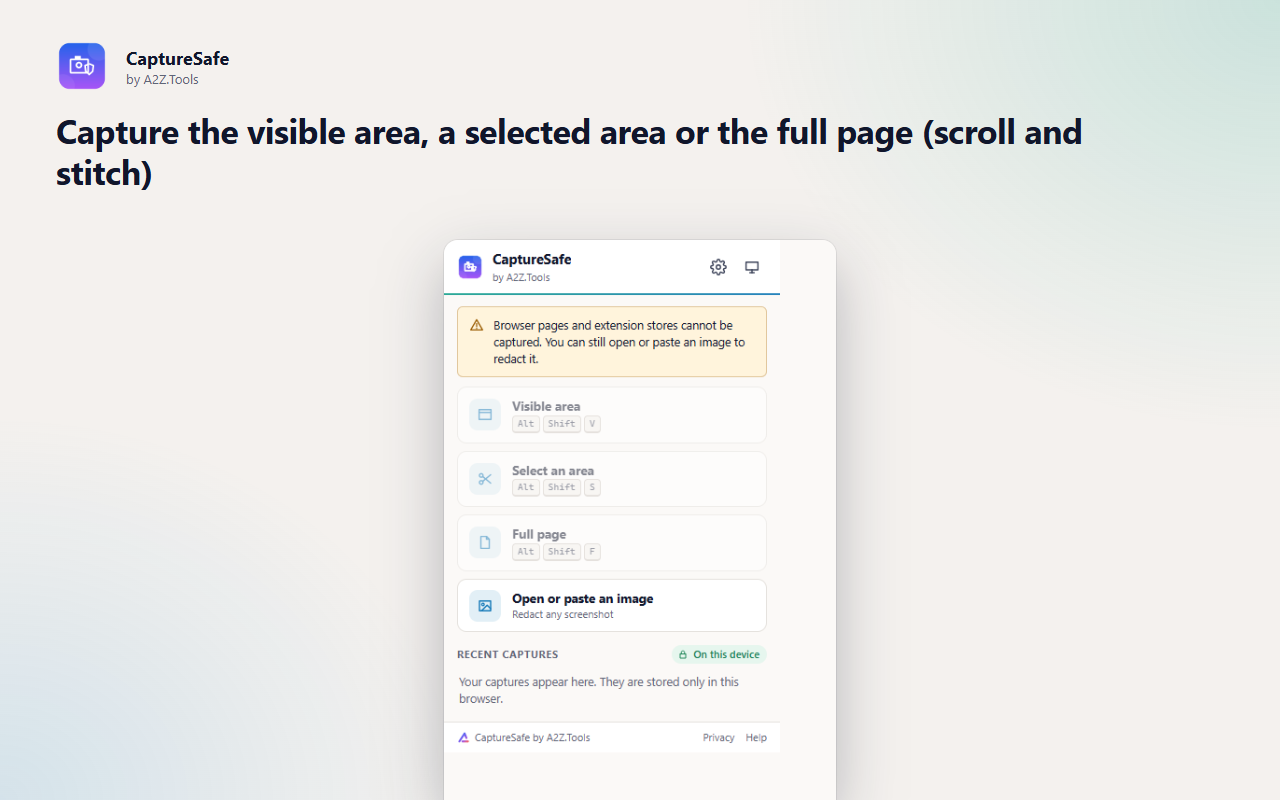
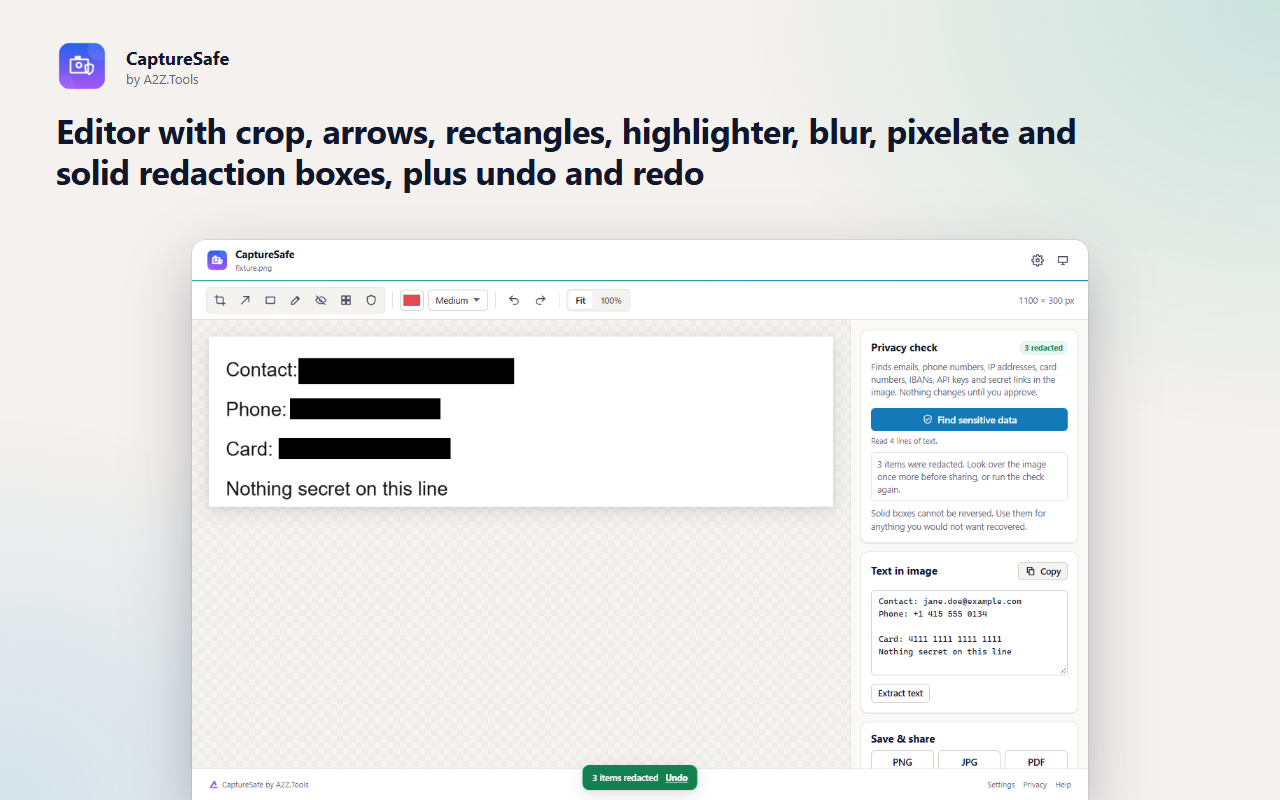
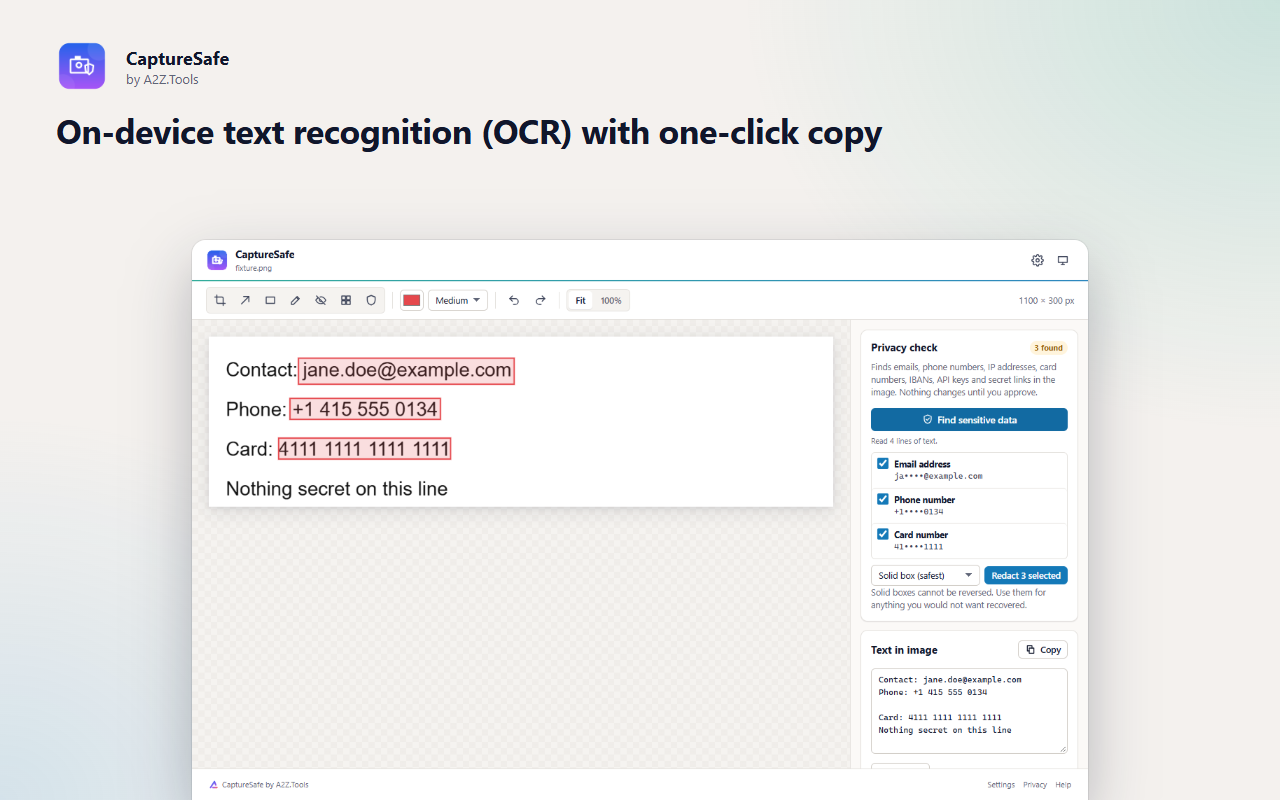
Screenshots leak more than people notice: an email address in a header, a phone number in a CRM, an API key in a terminal, a card number in an order page. CaptureSafe captures the page, reads the text in the image on your device and points out what looks private, so you can hide it before the screenshot goes into a ticket, a chat or a slide.
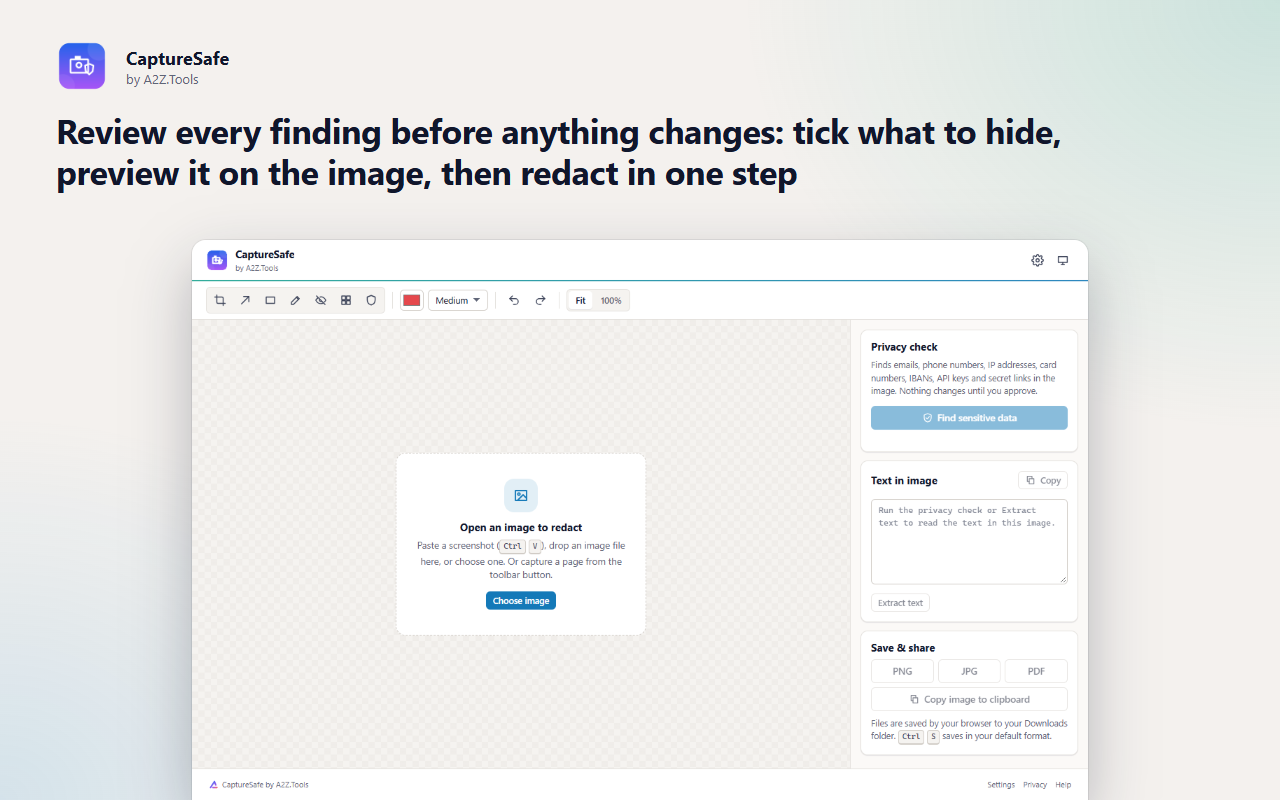
Nothing is redacted behind your back. Every finding appears in a review list with a preview on the image; you tick what to hide and choose solid boxes, pixelation or blur. The editor also has the everyday tools - crop, arrows, rectangles and a highlighter - and saves PNG, JPG or PDF.
Text recognition runs inside the extension with a bundled engine, so images are never uploaded. CaptureSafe focuses on capture, text and privacy; if you want screenshots filed into folders automatically, use Smart Screenshot Organizer.
Shortcuts can be changed in your browser's extension shortcut settings.
Screenshots, recognised text and redactions never leave your browser. Text recognition runs inside the extension with a bundled engine. No account, no uploads, no analytics.
Only the tab you choose to capture, at the moment you capture it (a screenshot of the visible page, plus the page title and address for the file name). Images you paste or open in the editor.
Captures are kept in the extension's IndexedDB in this browser profile (10 most recent by default, configurable down to 0). Settings are in storage.local.
None. The OCR engine and its English language model are bundled in the package. Saving uses your browser's normal download.
Recent captures are pruned automatically to the number you choose; delete them all at any time in Settings. Uninstalling removes everything.
No account, no analytics, no advertising, no selling or sharing of data, and no remotely hosted code.
Lets CaptureSafe take a screenshot of the tab you are on, and only when you ask (toolbar button, keyboard shortcut or right-click menu). It has no standing access to any website.
Adds the area-selection overlay or the full-page scrolling helper to the current tab when you start that kind of capture. Nothing is injected otherwise.
Saves your settings and keeps your recent captures in the extension's own storage on this device.
Adds Capture visible area, Capture a selected area and Capture full page to the right-click menu.
Shows a short message if a capture you started with a keyboard shortcut or the right-click menu cannot be taken (for example on a browser settings page).
| Browser | Minimum version | Store |
|---|---|---|
| Google Chrome |
120 | Coming soon |
| Microsoft Edge |
120 | Coming soon |
| Mozilla Firefox |
140.0 | Coming soon |
No. Capturing, text recognition and redaction all happen in your browser. The OCR engine and its language model are part of the extension, and saving uses your browser's normal download.
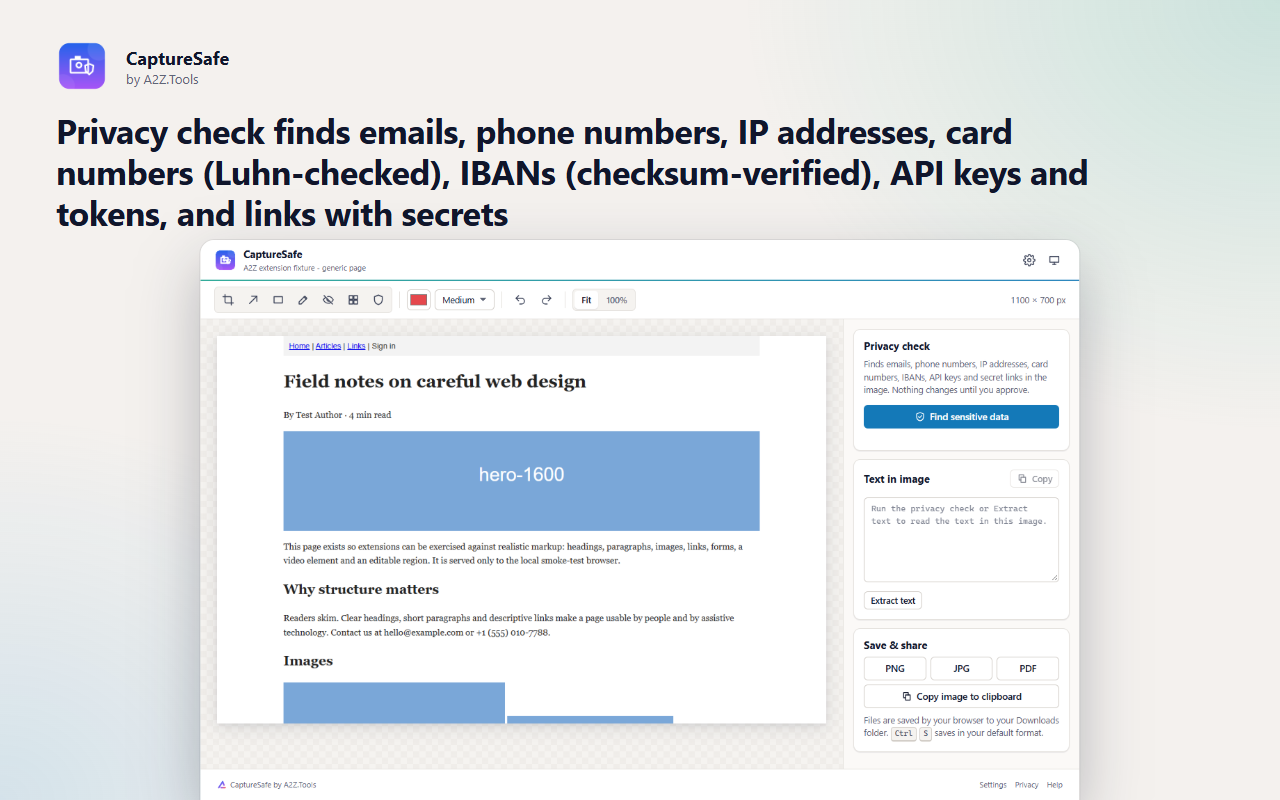
Email addresses, phone numbers, IPv4 and IPv6 addresses, card numbers (validated with the Luhn check), IBANs (validated with their checksum), common API keys and tokens (Stripe, GitHub, AWS, Slack, Google, JWTs and more) and links whose query string carries a token or key.
Never. Findings are proposals. You review them, untick anything you want to keep and press Redact. Undo is always available.
Use solid boxes for secrets. Blur and pixelation can sometimes be partly reversed on short text, which is why solid boxes are the default.
CaptureSafe is for checking and cleaning a screenshot before you share it: OCR, privacy detection and redaction. Smart Screenshot Organizer is for capturing lots of screenshots and filing them automatically by site, date and rules.
Yes. Open the editor from the toolbar menu and paste the image, drop the file or choose it from disk.
Coming soon
Use the useful parts of websites without the addictive feeds.

Coming soon
Unlimited screen recording that stays on your device.

Coming soon
Stop typing the same things repeatedly.
Questions, bugs or ideas for CaptureSafe? Contact the A2Z Tools team.